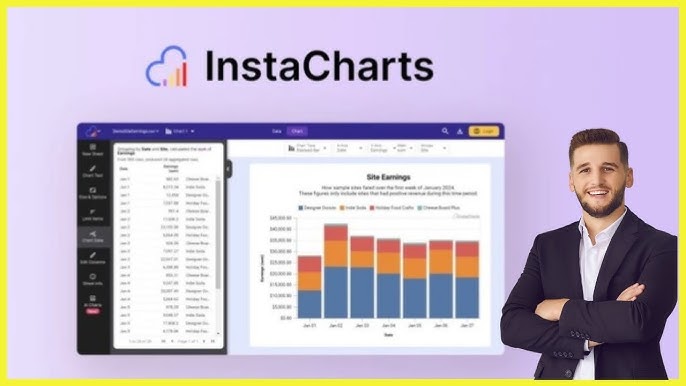
Are you tired of wrestling with complex data and clunky software just to create a simple chart? What if you could transform your raw data into stunning, interactive visualizations with just a few clicks?
That’s where InstaCharts comes in. This powerful tool is designed to help you instantly create, share, and embed charts from your spreadsheet files, JSON, Google Sheets, and more. Imagine being able to upload a file and watch as InstaCharts automatically produces a professional chart, ready to be shared or embedded into your website. No coding, no hassle—just beautiful charts that can make your data speak volumes. With options to export, synchronize, and embed, InstaCharts is your secret weapon for data storytelling. Ready to revolutionize your data visualization game? Check out InstaCharts now and experience the magic for yourself.
Introduction To Instacharts
InstaCharts is a tool for creating charts. Users upload files, and it makes charts. It works with spreadsheets and Google Sheets. InstaCharts helps people see data in charts.
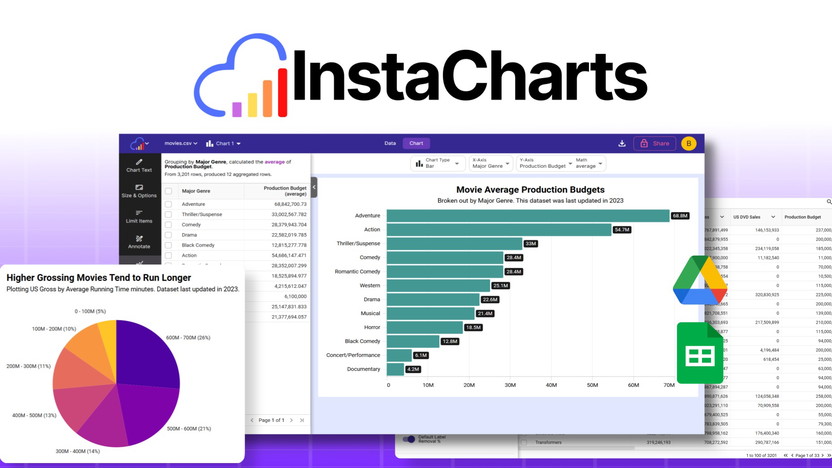
InstaCharts makes charts fast. Just upload a file, and it does the work. It supports many file types like .csv and Excel. Google Sheets connect easily too. Charts can be lines, bars, or pies. Users can share charts on websites. It offers real-time data changes. Export as .png or .svg files is available. Templates make chart creation simple.
Unique Features Of Instacharts
Instacharts offers advanced analytics for deep data insights. Users can explore trends and uncover patterns with ease. The tool supports various file types like .csv and Excel. Google Integration allows seamless data sync with Google Sheets. Users can filter and manipulate data in real-time. This ensures that visualizations are always up-to-date.
The customizable dashboard enhances user experience. Users can tailor the dashboard to suit their needs. This feature allows for personalized data views. Users can choose from 10 chart types like line and bar. The dashboard is designed for ease of use. It helps users to quickly find the insights they need.
Instacharts provides real-time monitoring capabilities. This feature updates visualizations as data changes. Users can embed charts into websites for live data updates. The tool supports real-time data exploration. Charts can be shared via public links for easy collaboration. This ensures that all team members see the latest data insights.
Pricing And Affordability
Instacharts offers competitive pricing for its features. Plans are designed to fit various budgets, ensuring affordability. Users find value in its cost-effective options without compromising on quality.
Pricing Tiers And Options
InstaCharts provides two pricing plans to suit different needs. Plan 1 offers a one-time payment of $29, originally priced at $120. This plan includes lifetime access with no watermarks, up to 1,000 shared chart views per month, and a 10 MB file upload limit. Storage capacity is 100 MB, and it can process up to 25,000 rows per spreadsheet.
Plan 2 requires a one-time payment of $58, originally $240. It includes all features from Plan 1 and provides up to 100,000 shared chart views monthly. The upload limit increases to 20 MB, with a total storage of 500 MB. This plan can process up to 100,000 rows per spreadsheet.
Cost-benefit Analysis
Choosing InstaCharts means paying once for a lifetime of chart creation. Both plans offer valuable features for different user needs. Plan 1 is perfect for light users, while Plan 2 suits those needing more storage and processing power. The 60-day money-back guarantee ensures satisfaction. Users can try the service risk-free and decide if it fits their requirements.

Credit: www.g2.com
Pros And Cons Of Instacharts
Users love the automatic chart creation feature. It saves a lot of time. The tool supports many file types, like .csv and Excel. This makes it flexible for different needs. Google integration is another highlight. It allows easy sync with Google Sheets. Users enjoy the interactive and embeddable charts. These charts can be shared with simple copy and paste. Real-time data exploration is also praised. It lets users see changes instantly as they filter data. Lastly, the no-code templates make chart creation very easy. Anyone can make professional charts quickly.
Some users mention the file upload limit as a downside. Plan 1 allows only 10 MB uploads. This might be small for large datasets. Total storage is another concern. 100 MB in Plan 1 may not be enough for everyone. The shared chart view limit can be restrictive. Only 1,000 views per month are allowed in Plan 1. Some users may find this limiting. Lastly, pricing could be high for some users. Although it’s a one-time payment, it may not fit all budgets.
Ideal Users And Scenarios
Instacharts serves small business owners and marketers needing quick visual data insights. It’s ideal for teachers simplifying complex data for students. Users benefit from its easy-to-use interface and clear chart displays.
Best Use Cases For Instacharts
Teachers find InstaCharts useful for class presentations. Charts make lessons clear and engaging. Students better understand numbers and data.
Business Analysts benefit by turning complex data into simple visuals. It helps in quick decision-making. Meetings are more productive with easy-to-read charts.
Researchers use it for showing study results. Data is shared with peers effortlessly. It saves time and enhances collaboration.
Who Will Benefit The Most?
Small Business Owners love InstaCharts for tracking sales. It helps in seeing trends fast. Visual reports are shared with teams easily.
Bloggers use charts to make posts interesting. Readers stay engaged. Information is presented clearly.
Educators find it useful for demonstrating topics. Visual aids make learning fun. Students grasp concepts quickly.
Data Enthusiasts enjoy exploring numbers with visual tools. Creating charts is simple and quick. Understanding data becomes easier.

Credit: www.softwareworld.co
Credit: appsumo.com
Frequently Asked Questions
What Is Instacharts Used For?
Instacharts is a data visualization tool designed to simplify complex data sets. It helps users create interactive and visually appealing charts and graphs. With Instacharts, businesses can transform raw data into actionable insights, improving decision-making and communication. Its user-friendly interface makes it ideal for both beginners and professionals.
How Does Instacharts Improve Data Analysis?
Instacharts enhances data analysis by providing intuitive visual representations. It allows users to identify trends and patterns quickly. The platform supports various chart types, ensuring flexibility in data presentation. With its interactive features, users can drill down into specific data points, facilitating a deeper understanding of the information.
Is Instacharts User-friendly For Beginners?
Yes, Instacharts is designed with a user-friendly interface that caters to beginners. It offers easy-to-use drag-and-drop functionalities and customizable templates. Users can create professional-grade charts without prior experience in data visualization. The platform also provides tutorials and support to assist new users in navigating its features effectively.
Can Instacharts Handle Large Data Sets?
Instacharts is capable of handling large data sets efficiently. It processes and visualizes data swiftly, ensuring minimal lag time. Users can import data from various sources and seamlessly integrate it into their charts. The platform’s robust performance makes it suitable for businesses dealing with extensive and complex data.
Conclusion
InstaCharts offers a simple way to create and share charts. Upload files, and get instant visualizations. Perfect for anyone needing quick insights. Supports multiple file types and integrates with Google Sheets. Choose from 10 different chart styles. Embed charts on your website with ease. Real-time updates ensure data stays current. Plans start at just $29 for lifetime access. Try it risk-free with a 60-day money-back guarantee. Enhance your data presentation today. Discover more details on AppSumo. Explore InstaCharts and transform your data into engaging visuals.